
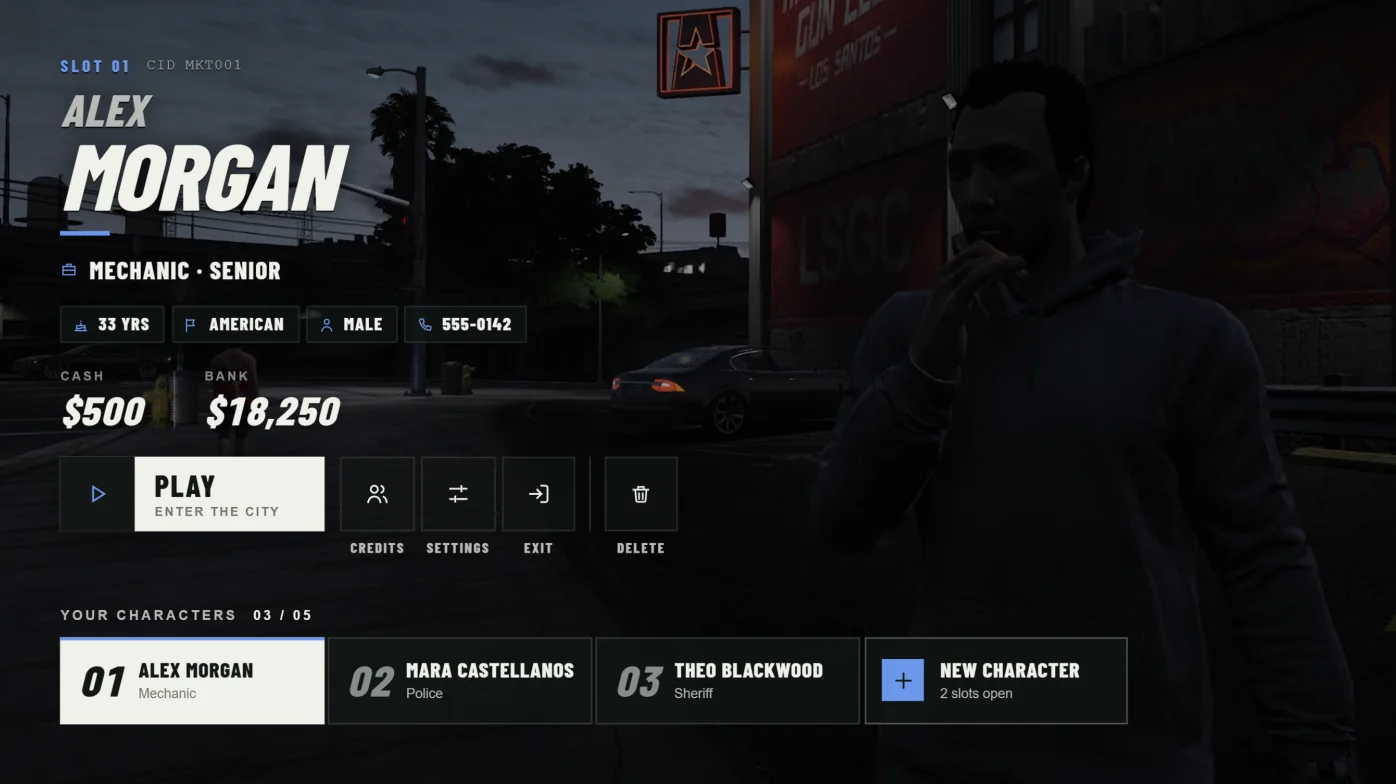
Where settings live
Shared settings are in config.lua. Private per-license slot overrides, starter items for QBCore, and advanced server limits are in server/config.lua. Never put account identifiers in config.lua.
Restart cortex-multicharacter after changing settings. The interface does not need rebuilding. The server keeps its own copy of character settings, so a client cannot grant itself permissions. Invalid values stop startup with an error.
Name, logo, colour, and language
ServerName shows at the top left. For a logo, put a PNG, JPG, WEBP, or SVG in branding/ and set Logo.Image. Width and Height are a bounding box, up to 240 by 96. An empty Image keeps the text mark.
UIColor takes a six-digit hex accent. Locale picks locales/CODE.json. en and es ship, and missing strings fall back to English.
ServerName = 'Cortex',
Logo = { Image = 'branding/logo.png', Width = 160, Height = 64 },
UIColor = '#8fcbbf',
Locale = 'en',Character slots
With InheritQboxSlots = true, Cortex uses Qbox's character limits from qbx_core/config/server.lua, including per-license values. Set it to false to use DefaultSlots. QBCore always uses DefaultSlots.
DefaultSlots and MaxSlots must be whole numbers from 1 to 64. Every inherited or per-license limit must fit under MaxSlots. Lowering a limit never deletes characters. It only blocks new ones.
Put per-license overrides in SlotsByLicense in server/config.lua. Other resources can read a player's limit with the export below.
InheritQboxSlots = true,
DefaultSlots = 3,
MaxSlots = 12,

-- server-side
exports['cortex-multicharacter']:GetCharacterLimit(source)Registration rules
New characters need a first name, last name, nationality, birthdate, and body. Names are 2 to 40 characters with no digits. Birthdates are inclusive, in YYYY-MM-DD format. BlockedNames maps lowercase first or last names to true. Config.Nationalities sets the nationality list. Existing characters are not affected.
BirthdateMin = '1900-01-01',
BirthdateMax = '2006-12-31',
BlockedNames = {},Deletion and confirmation
Deletion is permanent. To delete, the player types the character's full name and presses Delete forever. Case and spacing are ignored when matching the name. Only inactive characters the player owns can be deleted.
AllowDelete = false hides Delete and rejects all Cortex delete requests, including from staff. DeleteAce = false lets every owner delete. Set it to an ACE name to limit deletion to holders of that ACE. The admin ACE does not bypass DeleteAce.
AllowDelete = true,
DeleteAce = 'cortex.multicharacter.delete',Staff relog
/cortex-relog saves the character, logs out, and returns to selection. By default it needs cortex.multicharacter.relog or the admin ACE, with a 60-second cooldown.
RelogRequireAce = false opens it to all players. AllowRelog = false turns it off for everyone. Players who are dead, in last stand, handcuffed, or jailed cannot relog. RelogCommand renames the command.
AllowRelog = true,
RelogRequireAce = true,
RelogCommand = 'cortex-relog',
RelogAce = 'cortex.multicharacter.relog',
RelogCooldown = 60,Spawn routing
Spawn.Mode defaults to 'provider', which hands off to qbx_spawn on Qbox and qb-spawn on QBCore. The other modes are 'last', 'default', 'job', and 'custom'.
'last' uses the saved position. 'default' uses DefaultSpawn. 'job' uses Spawn.Jobs[jobName] and falls back to DefaultSpawn. 'custom' triggers the client event in Spawn.CustomEvent with the approved spawn plan. Your resource then owns the camera, fade, and loaded events.
Characters inside a property or apartment, and characters who are dead, in last stand, handcuffed, or jailed, always go to the provider. Starting-apartment setup does too. If a character fails to spawn after you change modes, set Spawn.Mode back to 'provider'.
Spawn = {
    Mode = 'job',
    Jobs = { police = { x = 441.0, y = -982.0, z = 30.7, w = 90.0 } },
    CustomEvent = '',
},Starting apartments
On Qbox, starting apartments follow characters.startingApartment in qbx_core/config/client.lua. When it is true, characters with no property are sent to qbx_properties apartment selection, and qbx_properties must be running or Cortex will not start. Set it to false to skip apartments and remove the qbx_properties requirement. The QBCore adapter has no automatic first apartment.
Cortex Loading handoff
When Cortex Loading is running, the first selection scene is prepared under the loading screen. The loading screen then fades into the opening camera glide. Cortex finds it by the cortex_loadscreen_handoff manifest key, so a renamed folder still works. Other loading screens, and later reopenings, use a plain fade.
LoadingReveal.settle is how many milliseconds the room draws before the fade starts. The fade length is Cortex Loading's Config.Shutdown.HandoffDuration. Set LoadingScreenHandoff = false for a hard cut. Outro controls the fade when a character is picked and handed to the spawn provider.
LoadingScreenHandoff = true,
LoadingReveal = { settle = 250 },
Outro = { title = 1500, fade = 650, fallback = 12000 },Optional VIP slots
VIP slots are off by default. Before you set VipSlots.Enabled = true, import sql/vip-slots.sql, set StoreUrl and Packages, and confirm IdentifierType matches the ID your store delivers. Supported types are fivem, license, license2, and steam. Test with manual payments before taking real money.
Set up the package commands below in Tebex. They run only from the server console. The allowance is the lower of MaxSlots and base slots plus paid and manual bonuses. Recurring subscriptions are not supported. The resource's docs/WEBSTORE.md covers refunds and recovery.
cortex-slot-grant {transaction} {packageId} {id} {purchaseQuantity}
cortex-slot-revoke {transaction} {packageId}Commands
Commands without a slash run in the server console.
| Command | Who can use it | Purpose |
|---|---|---|
| cortex-multicharacter-check | Console or admin ACE | Startup and integration diagnostics. |
| /cortex-character | Players not logged in | Reopen character selection. |
| /cortex-relog | RelogAce or admin by default | Save, log out, and return to selection. |
| /cortex-spots [spot] [male|female] | Logged-in players; saving needs Director.SaveAce or admin | Edit spots in the nearest scene. |
| /cortex-scene-here [id] [name] | Logged-in players | Copy a new scene entry from your position. |
| cortex-slot-grant, cortex-slot-revoke | Console only | Tebex delivery and refunds. |
| cortex-slots ACCOUNT BONUS | Console or VipSlots.AdminAce | Set a manual bonus slot count. |
| cortex-slot-status, cortex-slot-account, cortex-slot-queue, cortex-slot-retry | Console or VipSlots.AdminAce | Inspect and retry VIP deliveries. |