
Before you start
Cortex Lib provides shared settings, notifications, menus, and interaction prompts for Cortex resources. Install it once and start it before every script that needs it. Cortex Lib is free on Tebex, and the download includes its MIT-licensed source.
It needs no framework, database, Node.js, or frontend build. The interface, React, and fonts are bundled. It does not replace ox_lib, ESX, or QBCore when another resource requires them.
Use the library version your script requires. Cortex PolCam 1.0.2 needs Cortex Lib 2.2.1. The older 2.2.0 package does not contain the shared presentation files PolCam uses.
| Requirement | Details |
|---|---|
| Runtime | FiveM server, GTA V, cerulean |
| Folder name | Exactly cortex-lib |
| Start order | Before every script that depends on it |
| Framework or database | None |
| Copies | One per server, even when several scripts use it |
Add the resource
Keep every file from the package. fxmanifest.lua must sit directly inside cortex-lib. A category folder such as [cortex] is optional.
Avoid nested folders such as cortex-lib/cortex-lib/fxmanifest.lua.
- Extract the complete
cortex-libfolder into your server's resources directory. - Check that no second copy of
cortex-libexists in another resource category. - Add
cortex-libtoserver.cfgabove every resource that depends on it.
resources/
└── [cortex]/
    ├── cortex-lib/
    │   ├── fxmanifest.lua
    │   ├── init.lua
    │   ├── client/
    │   ├── imports/
    │   ├── resource/
    │   └── ui/
└── cortex-polcam/Set the start order
Start the library first, then each Cortex resource you use. Keep the resource folder names unchanged. A resource that loads the library before it starts stops with the error "cortex-lib must be started before this resource".
ensure cortex-lib

# Cortex resources start after the library. List only the ones you use.
ensure cortex-polcam
ensure cortex-chatCheck your first session
After a new installation, restart the server or run these commands in the server console. Replace the second resource name with your script's folder name.
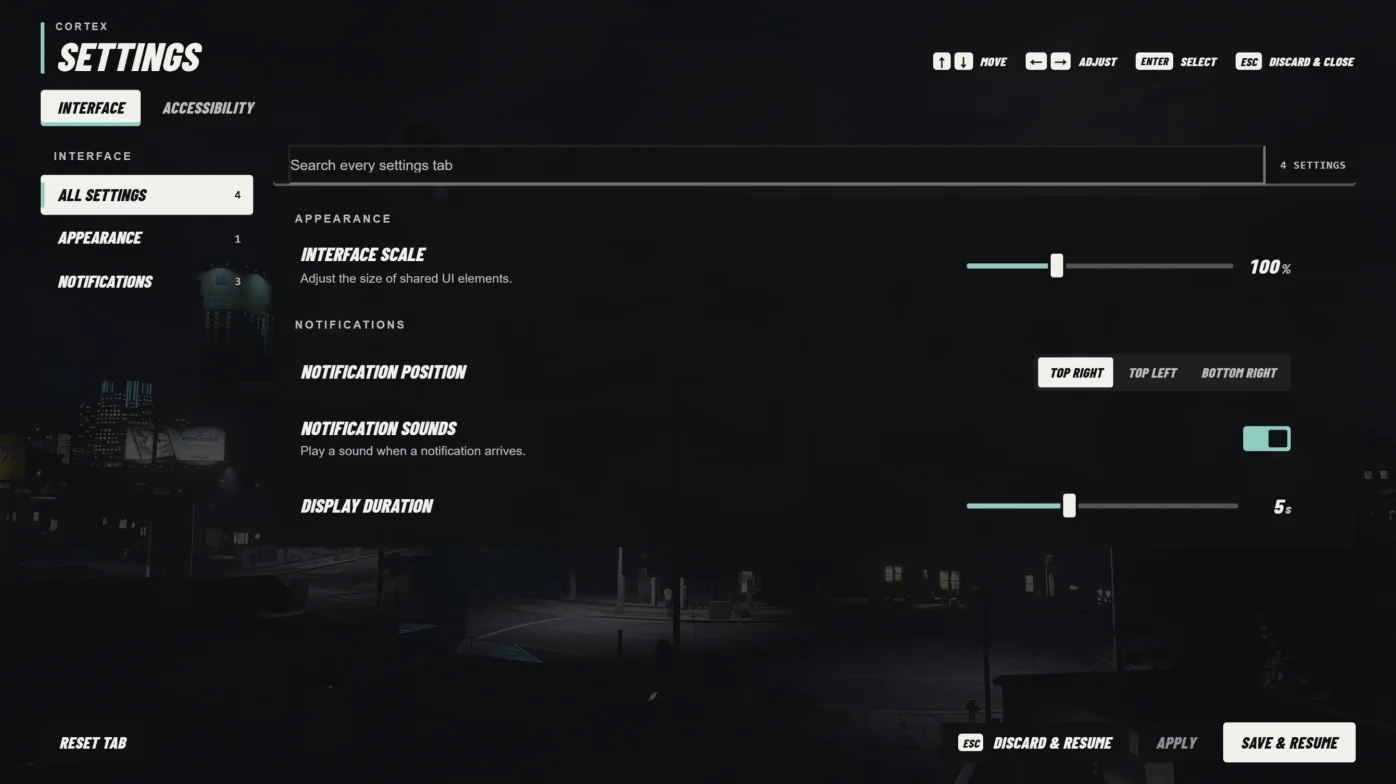
- Join the server and enter /cortexsettings in chat.
- Confirm Cortex Settings opens, then close it with Escape.
- Check that control returns to the game.
- Check the dependent script's
mainfeature. - Check the server console and the player's F8 console for errors.
refresh
ensure cortex-lib
ensure cortex-polcamHow player preferences are saved
Each player's preferences are stored on their own computer in FiveM client storage. They are not shared between players and do not follow a player to another computer.
Updating or reinstalling the library does not reset them. Returning players may see different values from a fresh installation. Saved FiveM key bindings also survive updates.
Update the library
This version needs no SQL migration. Keep the previous library and script versions together if you need to roll back.
- Check the library version each dependent script requires.
- Back up the
cortex-libfolder and any local changes. - Stop dependent scripts before replacing files.
- Replace the complete
cortex-libfolder. Do not mix files from different releases. - Start
cortex-lib, then restart its dependent scripts. - Check settings, notifications, and each script's
mainfeature.
restart cortex-lib
restart cortex-polcamTroubleshooting
Avoid deleting a player's FiveM storage to fix one preference. Change it in Cortex Settings or the native key binding menu first.
| Problem | What to check |
|---|---|
| Server cannot find cortex-lib | Use the exact folder name with fxmanifest.lua directly inside. Run refresh after installing. |
| A script says cortex-lib must start first | Move its ensure line below cortex-lib and restart in that order. |
| Missing export or presentation-client.lua | Check the required library version and replace the whole folder. PolCam 1.0.2 needs 2.2.1. |
| Lua 5.4 is required | The script loading the library must declare lua54 'yes' in its fxmanifest.lua. Ask its author for a compatible build. |
| Blank or missing interface | Check F8 for errors. Keep ui/, ui/vendor/, and the manifest from the same package. |
| Escape opens an unexpected menu | Check server.cfg for setr cortex_pause_replace_native 1. Set it to 0, and check other pause menu resources. |
| A menu will not open | Close the GTA pause menu or any other focused interface, then try again. |
| A script's settings page is missing | Confirm the script supports shared settings and started without errors. Restart it after cortex-lib. |
| A preference reverted | Use Apply or Save & Resume. Discard & Resume and Escape restore earlier values. |
| Controls stay stuck after closing | Note which menu and action caused it, check F8, then restart cortex-lib and the affected script. |