
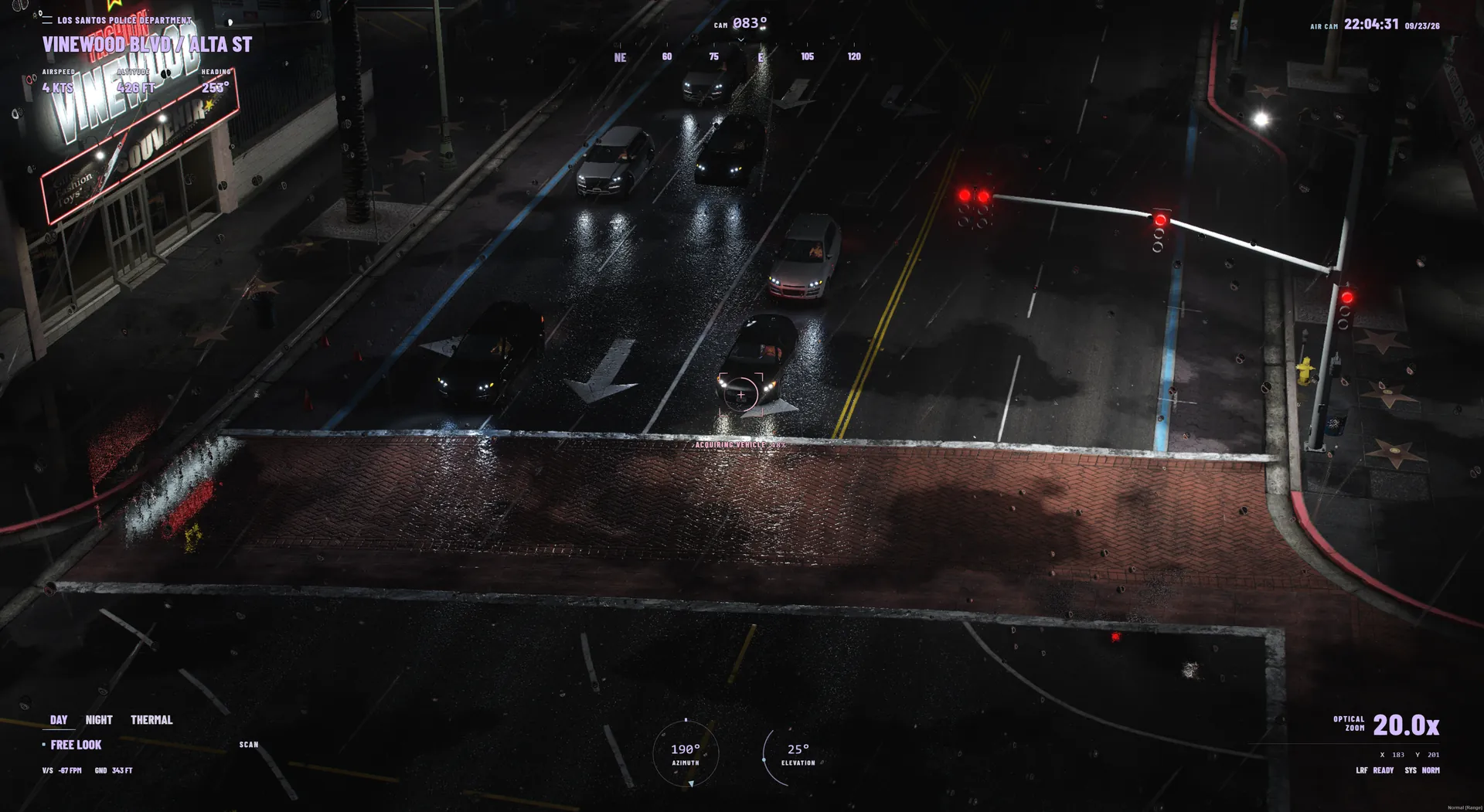
Open the camera
Enter an allowed helicopter and seat, then press E. The default helicopters are polmav and maverick. Press E again to leave the camera. Server configuration and player key remapping can change these defaults.
Default controls
The server defaults live in Config.Keybinds in config.lua. Rappelling has its own key in Config.Rappel. Check your FiveM key bindings if a listed key does something different.
| Action | Default key |
|---|---|
| Toggle camera | E |
| Toggle camera UI | H |
| Toggle street overlay | N |
| Hold to lock or unlock target | Space |
| Lock camera to ground | T |
| Cycle vision mode | V |
| Toggle spotlight | L |
| Cycle spotlight colour | K |
| Toggle hover assistance | X |
| Toggle orbit assistance | O |
| Place point of interest | B |
| Delete nearest marker | Delete |
| Rappel from an eligible rear seat | G |
Track a target
Aim the camera at a vehicle or pedestrian and hold Space to acquire a lock. By default, Config.InstantLock is false and Config.Tracking.LockDurationMs is 1200. Hold the action again to unlock.
Tracking can drop when a target is obstructed. The default occlusion grace period is 3000 milliseconds. Plate reading depends on visibility and viewing angle; a tracked vehicle does not guarantee a readable plate.
Vision and spotlight
Press V to cycle the enabled vision modes. Normal, night vision, and thermal are configured under Config.Vision. Press L to toggle the spotlight and K to cycle its colour.
The default spotlight follows the camera. Your server can change its behaviour in Config.Spotlight.
Hover, orbit, and rappelling
X toggles hover assistance and O toggles orbit assistance. These features can be disabled or adjusted by the server under Config.HeliControl, and damaged aircraft can fail the assistance checks.
Rappelling uses G by default and requires an eligible rear seat. The default configuration allows seats 1 and 2, between 15 and 150 metres of altitude; model restrictions and server settings can change availability.