
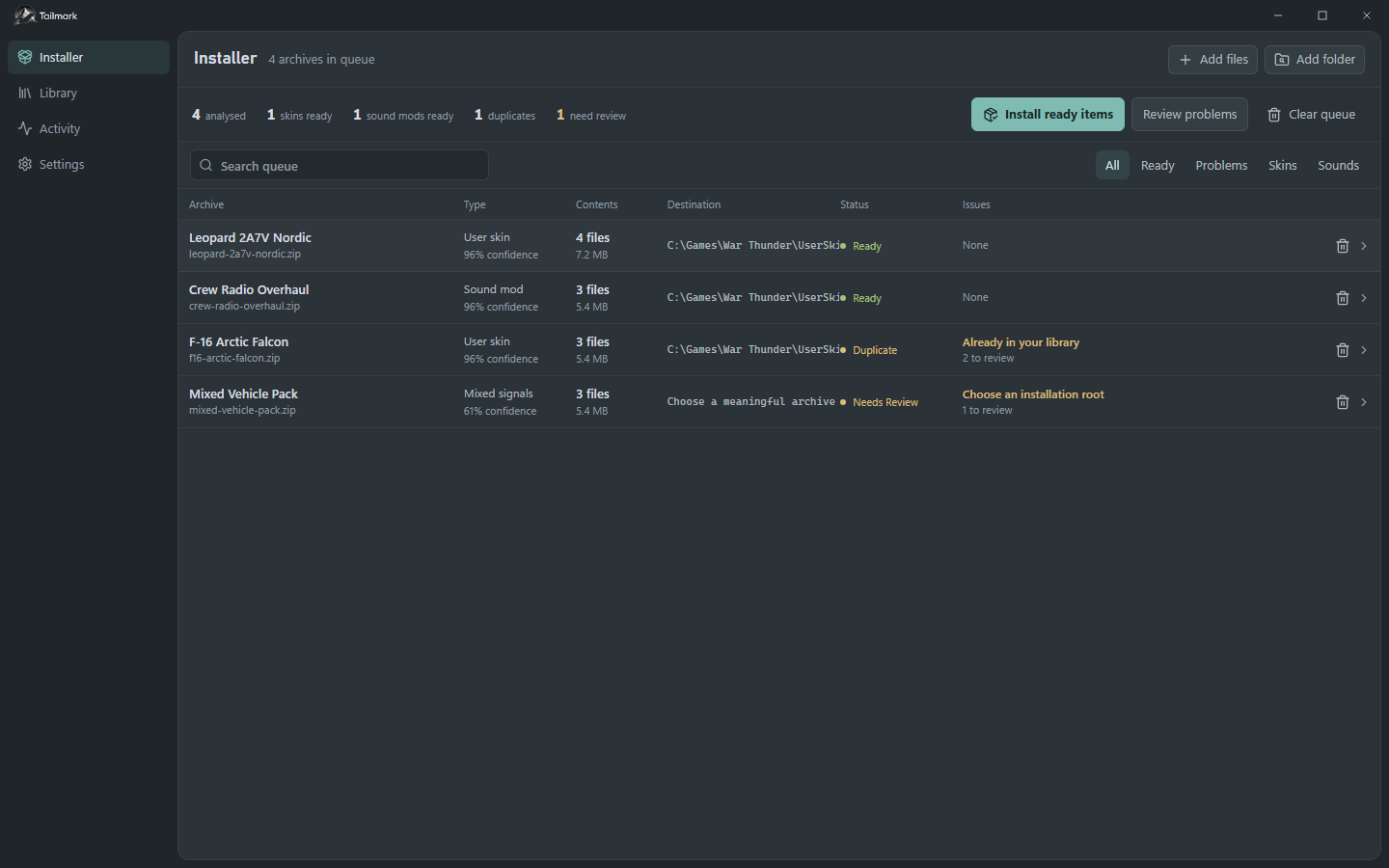
Review the archive first
Install Tailmark on Windows and point it at the intended War Thunder installation. Add ZIP files to the Installer or import a folder of archives. Tailmark inspects the contents before changing the game files.
- Check the detected content type and planned destination.
- Open any item marked for review and inspect the archive tree and warning.
- Resolve uncertain destinations and mixed packages before installing the batch.
Choose what happens to existing files
Review the conflict policy before approving a destination that already exists. Duplicate content may be detected even when archive filenames differ.
| Policy | Result |
|---|---|
| Skip | Leave the existing folder untouched. |
| Replace | Back up the existing folder, then replace it. |
| Merge | Back up the destination, then merge the package contents. |
| Install as copy | Create a separate renamed folder. |
Activate sound packages deliberately
Close War Thunder and its launcher before activating or deactivating sound packages. Tailmark checks this before writing to sound/mod/ and changing the game's sound-mod configuration.
Import sound packages into the managed library, then activate one package or a profile. Keep uncertain sound folders for review; do not assume they are safe to remove just because they are outside a current profile.
Review history and recover a change
Use the Library to review installed content and backups, and inspect the activity history when an operation fails. Failed installs can roll back automatically; interrupted operations may require you to resume or roll back from the recovery journal.
Resolve pending recovery before starting more installs. Safe Mode temporarily restores managed content and pauses the download watcher. Keep backups until you have checked the result in the game.
Use download watching carefully
The optional folder watcher can install high-confidence, skin-only ZIPs after downloads finish. Sounds, sights, hangars, mixed packages, and uncertain archives remain in the queue for review.
Check the watched folder and automation settings before enabling it. For support, include the detected type, warning, conflict policy, and activity entry rather than only the archive filename.