
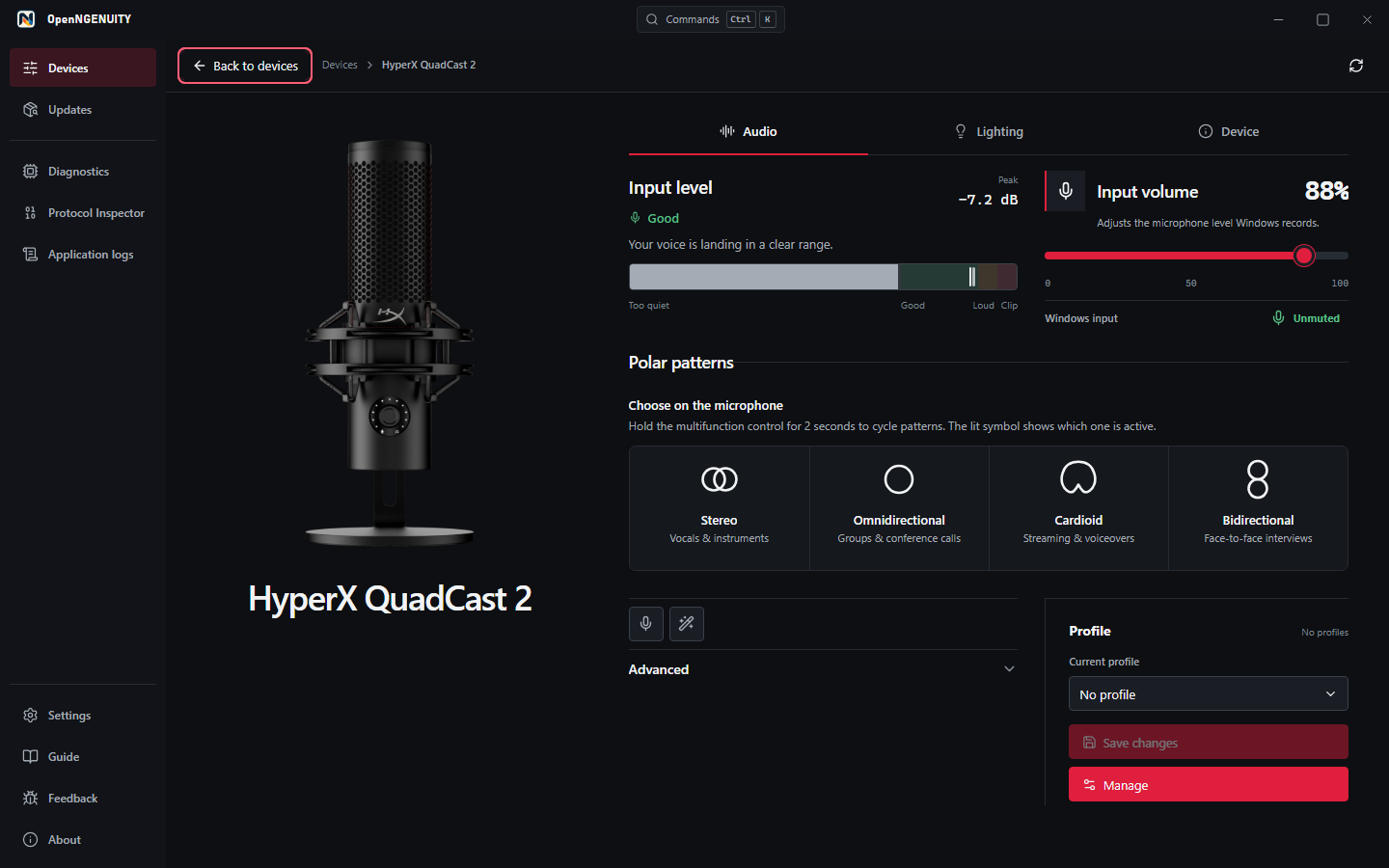
Connect and inspect the device
OpenNGENUITY is an independent Windows utility for HyperX hardware. The current work focuses on the QuadCast family and remains a tech demonstrator; check the product page for availability and support status.
Close HyperX NGENUITY before using hardware controls so two applications do not write to the microphone at the same time. Connect the device, open OpenNGENUITY, and select it from the device hub.
Check which controls are available
Detection does not mean every feature is supported. The workbench exposes the capabilities reported by the device adapter and distinguishes detected, experimental, and partially supported paths.
QuadCast 2 uses fixed-red lighting; it is not an RGB microphone. QuadCast S has a different lighting path. Use the controls offered for your detected model instead of applying another model's settings.
Test mute and input level
When OpenNGENUITY can identify a matching Windows microphone endpoint, use its available mute and input-level controls. Watch the meter and make a short microphone test to check the result.
Use the input-health or gain-calibration tools to investigate clipping before changing several settings at once. A moving on-screen meter does not prove that a physical knob or mute light is synchronised.
Separate the preview from the device
The visualizer previews the selected profile. Hardware-owned lighting state is separate and can become unknown after a disconnect, restart, or failed write.
Transport acceptance is not physical readback. Check the actual microphone before treating a preview or accepted request as confirmation that an effect is visible.
Collect useful diagnostics
Open Diagnostics for a sanitised snapshot. Advanced hardware debug in Settings exposes interface and write-attempt details when a control fails. Review the diagnostic preview before exporting it or opening an issue draft.
Safe Mode blocks privileged hardware writes for one launch and can help investigate repeated startup failures. Include the exact device model, app version, connection state, and failed action when asking for help.