CORTEX TOOLBOX / WINDOWS DESKTOP

Cortex SoftwareFiveM resource workbench

Build, inspect, repair and ship FiveM resources.

One desktop toolbox for the work that normally means opening several applications and digging through XML by hand.

Open a resource once. Understand its structure, inspect its scripts, repair its metadata, and package what is ready to ship.

Explore the workbench

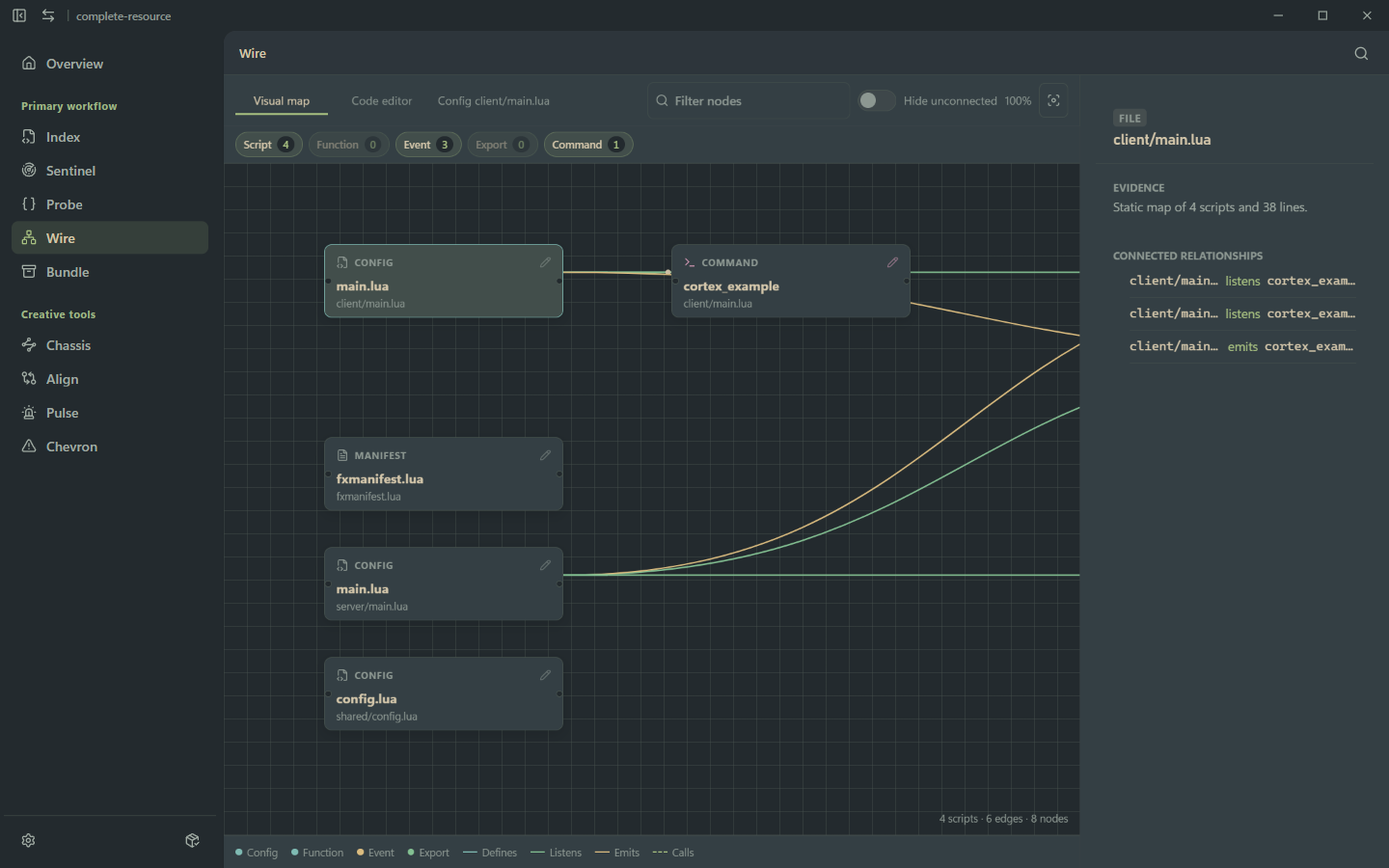
Cortex Wire showing scripts, commands, events, and their connected relationships
Map scripts, events, commands, and configuration relationships.01 / 04 · Wire

01 / UNDERSTAND THE RESOURCE

See how everything connects.

Cortex maps scripts, events, commands and configuration relationships across the resource, so the next edit starts with a model instead of a guess.

Cortex Wire visual map connecting resource scripts, commands, and events
Wire turns a folder of files into a map you can reason about.
scripts indexed
4
edges mapped
6
nodes in view
8

02 / FIND WHAT IS WRONG

Find problems before your players do.

Probe surfaces patterns that deserve a human read. Sentinel checks the manifest, paths, package hygiene, and release blockers that are easy to miss in a busy resource folder.

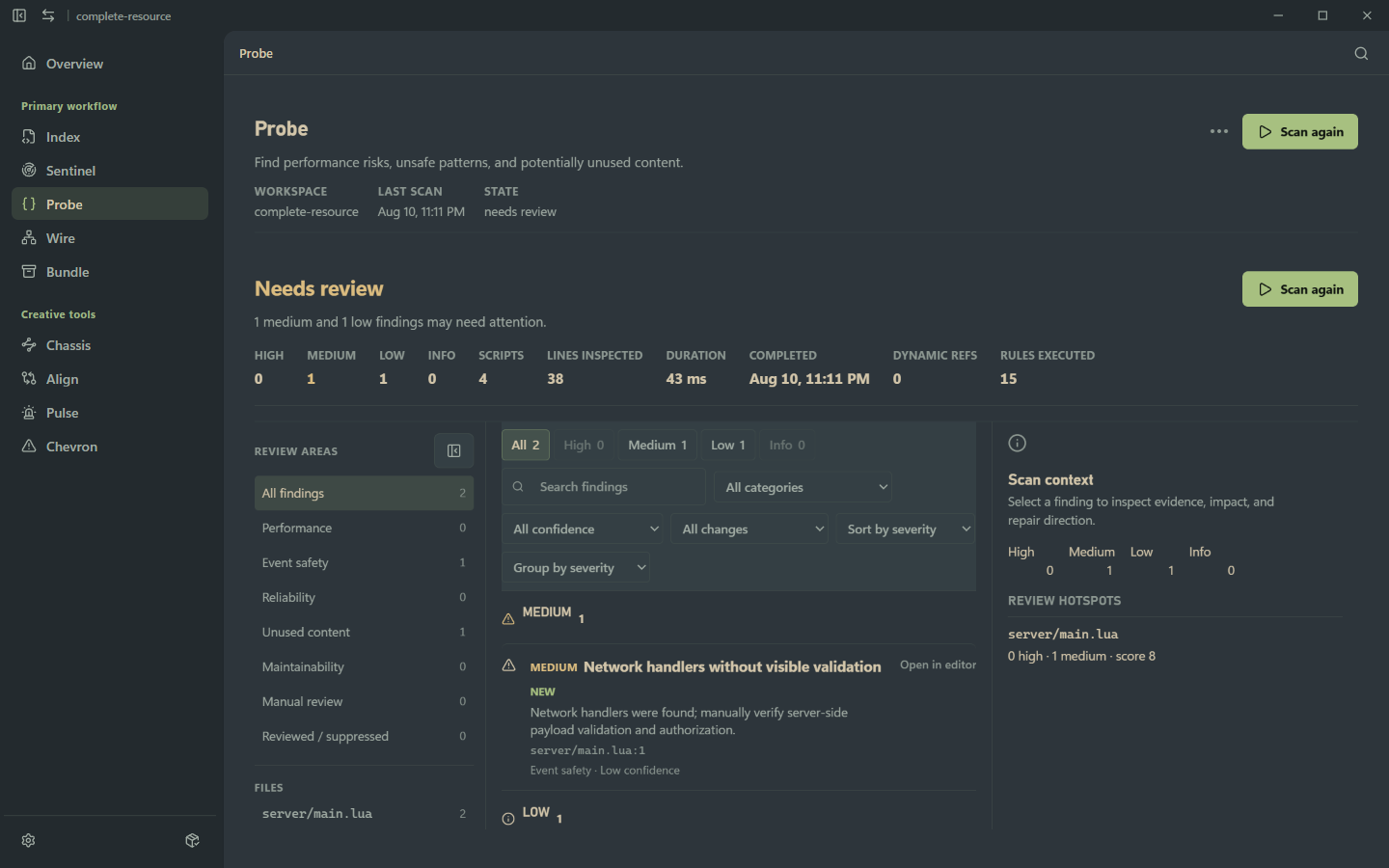
PROBE / NEEDS REVIEW

Probe

Needs review

Suspicious patterns, performance risks, potentially unsafe code, and unused content become a focused review queue.

Cortex Probe displaying medium and low findings from a resource scan
A scan can be useful without pretending every finding is a verdict.

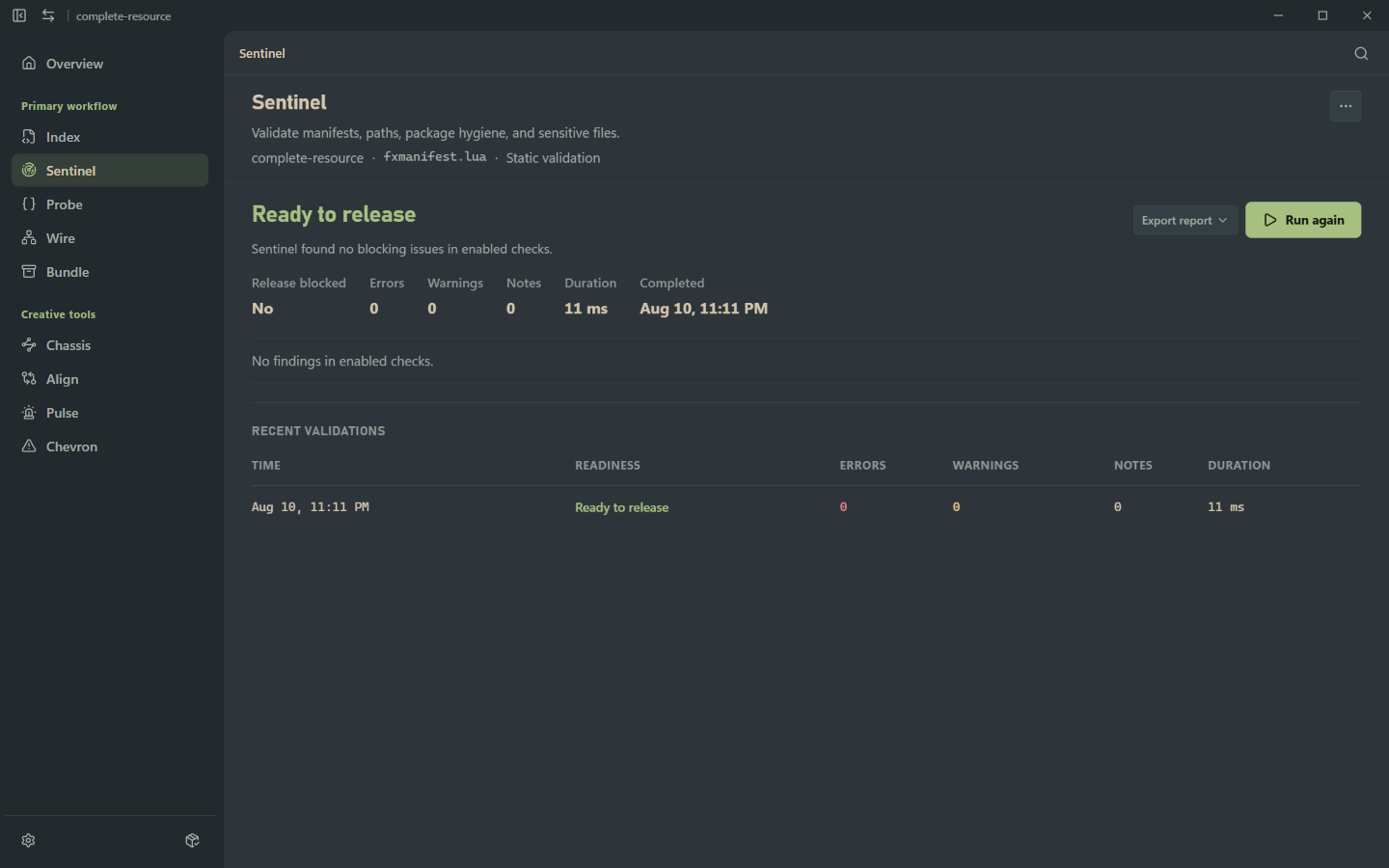
SENTINEL / READY TO RELEASE

Sentinel

Ready to release

Manifests, declared paths, package hygiene, and sensitive files are checked before the archive leaves your machine.

Cortex Sentinel showing a resource ready to release with no blocking issues
A clean release gate is a result you can act on.

03 / ALIGN

Cortex doesn't just tell you something is broken.

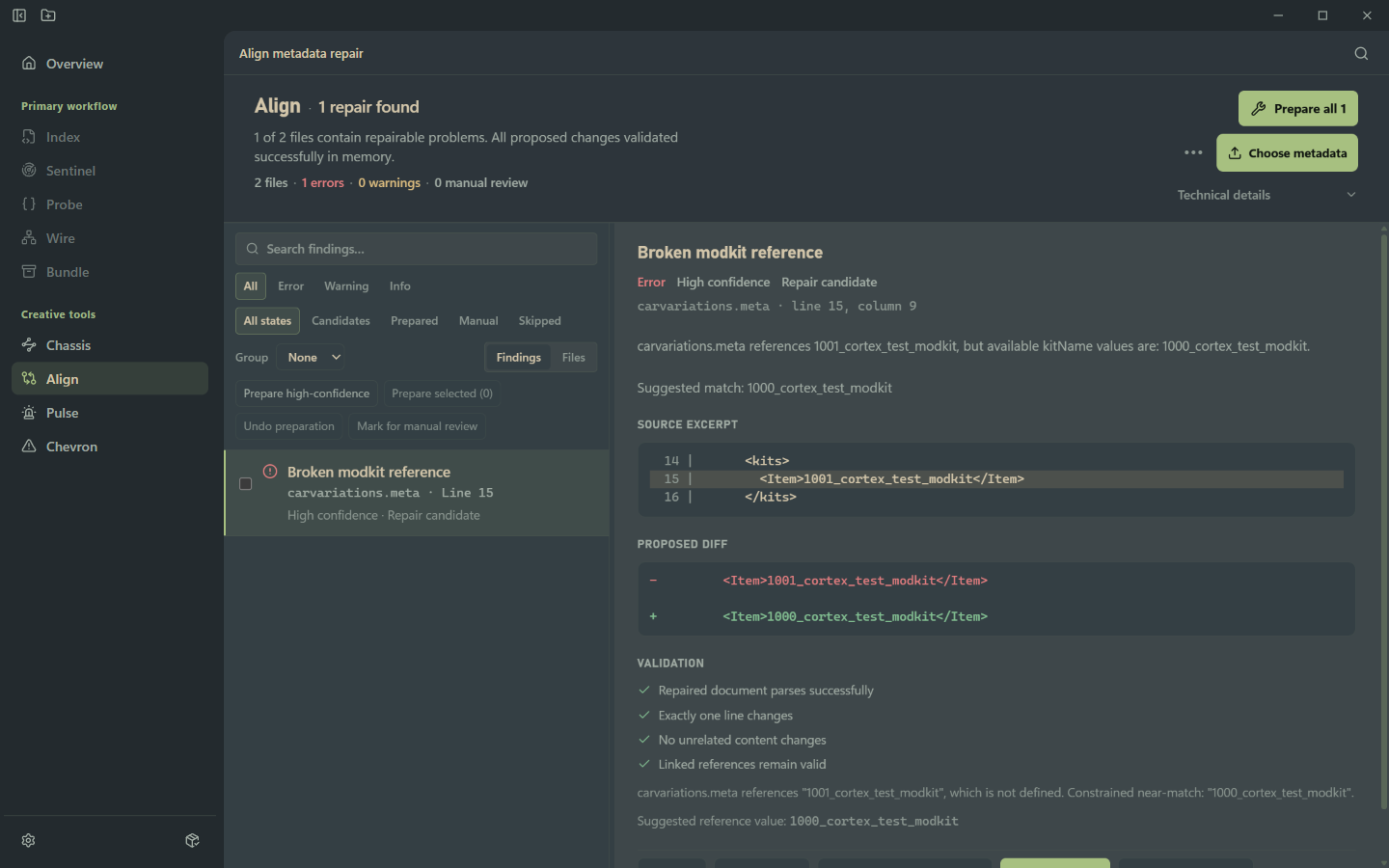
It shows you what, where, why, and what a safe repair looks like. Align keeps the proposed change narrow, validates it in memory, and leaves unrelated content alone.

  1. 01Incorrect reference1001_cortex_test_modkit
  2. 02Suggested repair1000_cortex_test_modkit
  3. 03ValidationRepaired document parses successfully
Cortex Align showing a broken modkit reference, proposed diff, and successful validation
One broken reference, one proposed line, four checks before you write it.
  • Exactly one line changes
  • No unrelated content changes
  • Linked references remain valid

04 / CHASSIS

Tune the vehicle, not the XML.

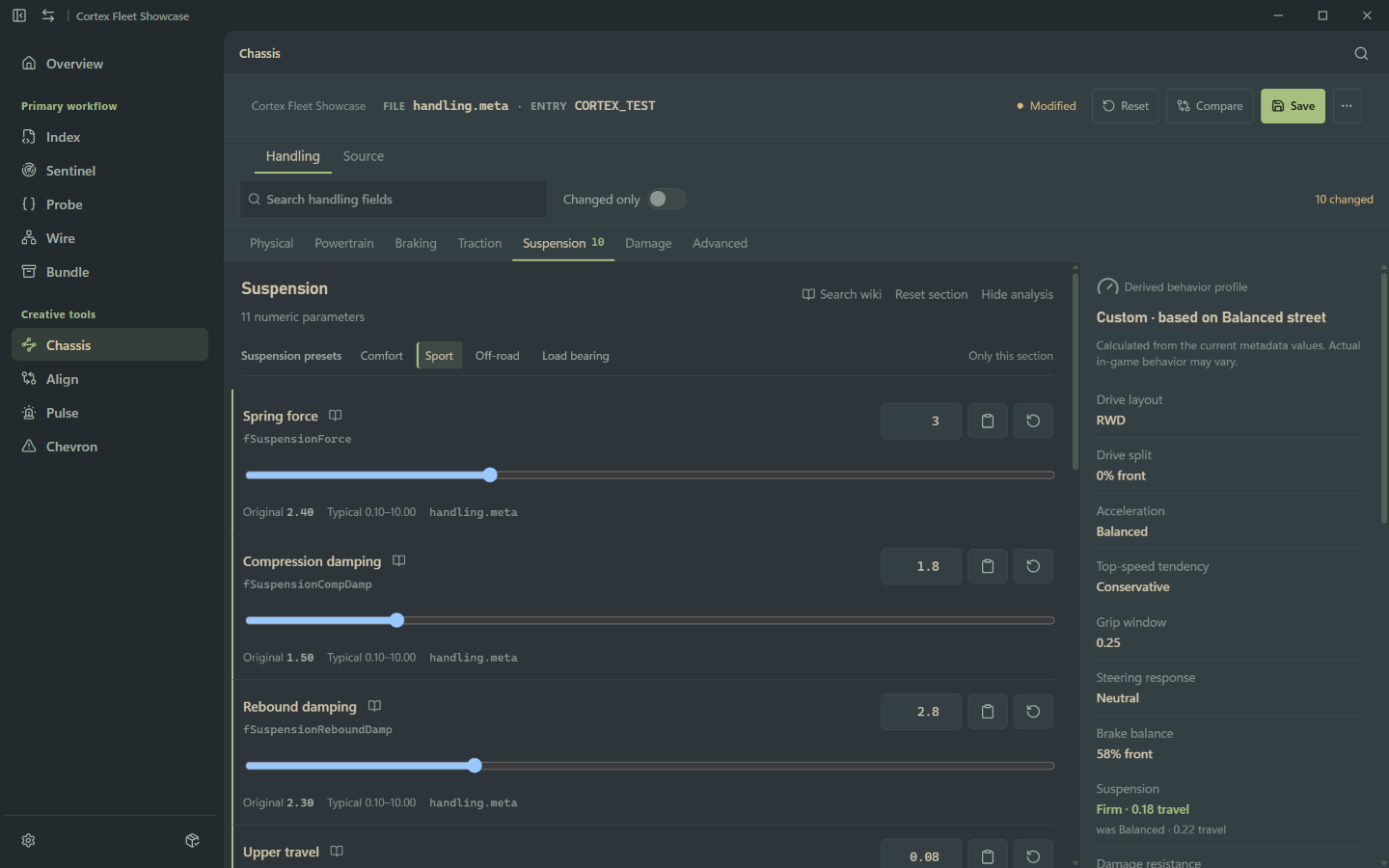
Chassis gives the handling.meta a visual surface: centre of mass, inertia, powertrain, braking, traction, suspension, damage, and advanced parameters — with a derived behaviour profile alongside the numbers.

Handling surfaces

  • Centre of mass
  • Inertia
  • Powertrain
  • Braking
  • Traction
  • Suspension
  • Damage
  • Advanced parameters

A small idea from the editor

Values are only useful when they explain the drive.

Move the illustrative spring force control to see the kind of derived readout Chassis keeps beside the raw parameter.

Derived behaviourBalanced · 0.22 travel2.40

Illustrative only — this control is not connected to a handling.meta file.

Cortex Chassis editor showing physical handling parameters and a derived behaviour profile
Edit the values and see the vehicle behaviour they describe.
Cortex Chassis suspension editor showing spring force, damping, travel, and a changed behaviour profile
Suspension changes stay legible: original value, typical range, and derived behaviour in one frame.

05 / CHASSIS REFERENCE

Search by parameter. Or describe what the vehicle is doing.

FiveM creators often understand the symptom before they know the obscure field responsible. Cortex lets “too much understeer” lead you to the parameter and the behaviour it changes.

Describe the behaviour
understeer
Parameter
fSuspensionBiasFront
Cortex Chassis reference wiki searched for understeer and showing the front spring bias parameter
A behaviour search can lead to fSuspensionBiasFront without requiring you to know its name first.

06 / PULSE

Build siren patterns visually.

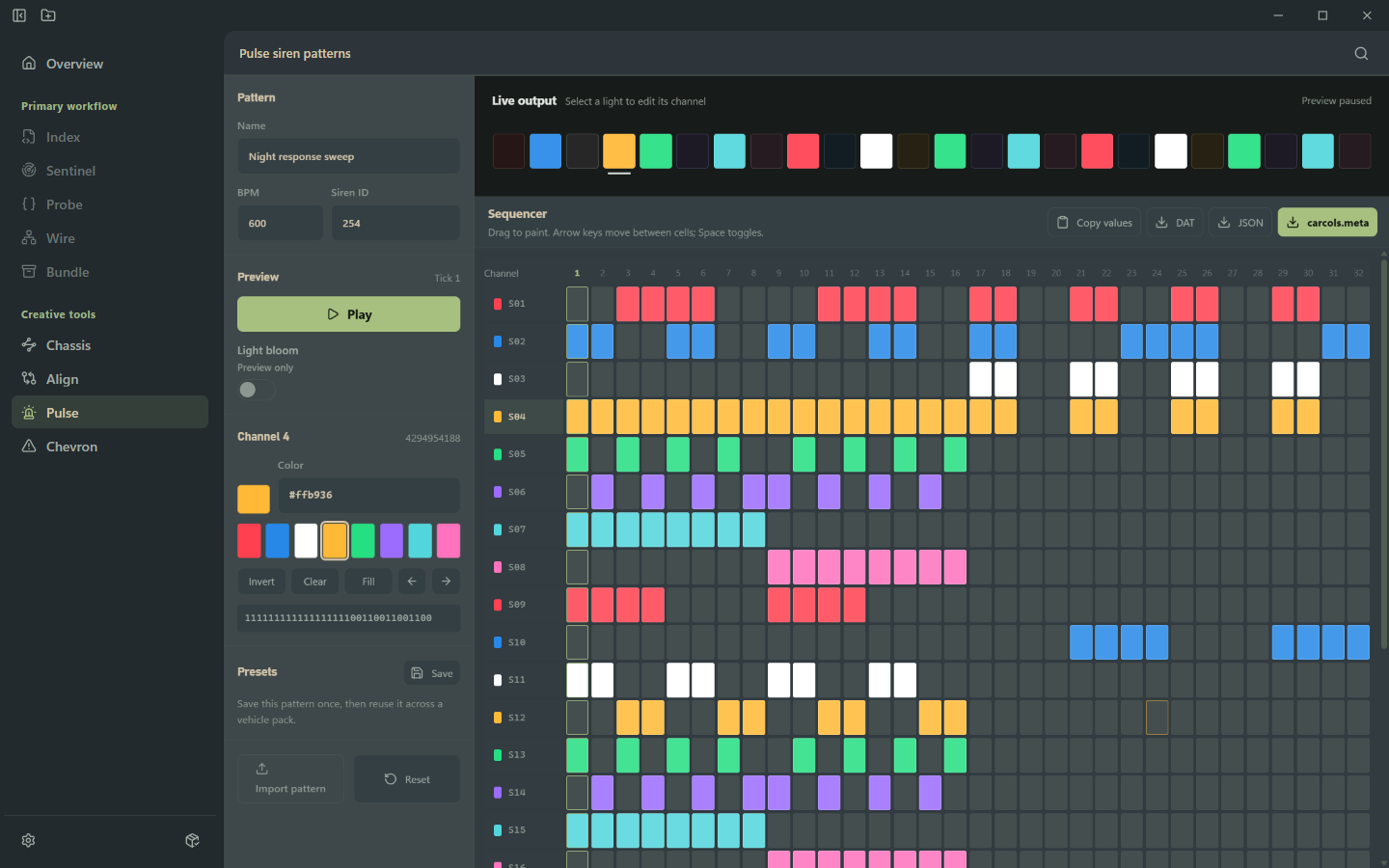
Pulse turns a siren pattern into a sequence you can inspect, paint, play, and export. The grid carries the colour; the rest of the page gets out of its way.

Cortex Pulse showing a multichannel siren sequence with coloured cells and live output
A long pattern is easier to tune when timing, channels, and colour stay in the same view.

A quiet live-output cue

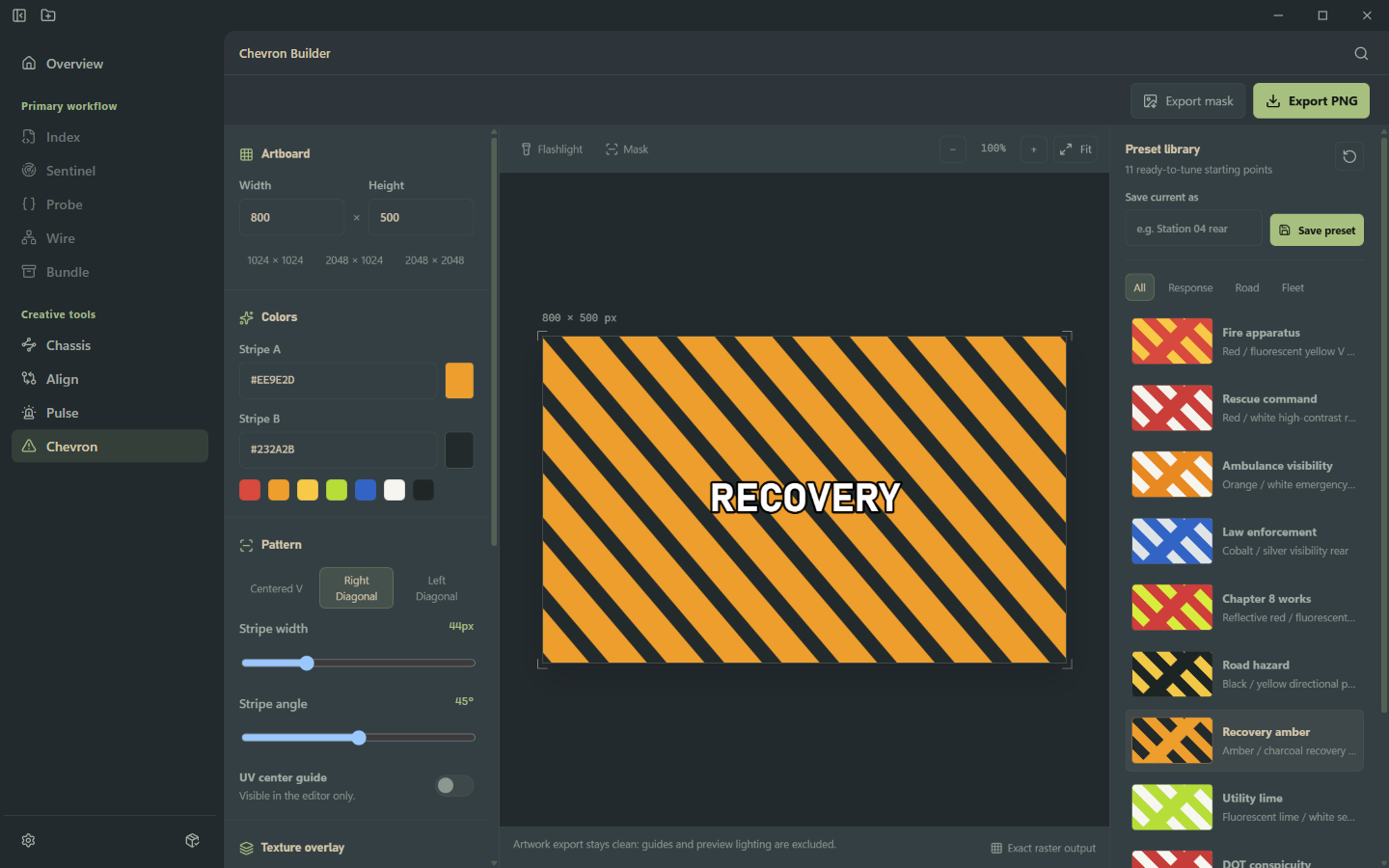
Cortex Chevron Builder creating a recovery vehicle graphic with diagonal stripes
Tune a working graphic, then export the clean mask as PNG.

07 / CHEVRON

Build vehicle graphics without leaving Cortex.

Chevron keeps the artboard, stripe geometry, colour choices, presets, and clean export in one vehicle-specific workflow.

Canvas
800 × 500
Stripe angle
45°
Stripe width
44px

Export PNG

08 / COMPLETE WORKFLOW

From open resource to release.

The primary workflow stays in order: open the folder, inspect what is there, validate what is ready, and write the archive.

  1. 01OPEN
    Cortex Workspace Overview showing a resource ready for validation
    Start with the resource as it is.

    Workspace Overview

  2. 02INSPECT
    Cortex Probe showing findings from an inspected resource
    Surface risks that need a human read.

    Probe

  3. 03VALIDATE
    Cortex Sentinel showing a resource ready to release
    Check the paths and manifest before release.

    Sentinel

  4. 04SHIP
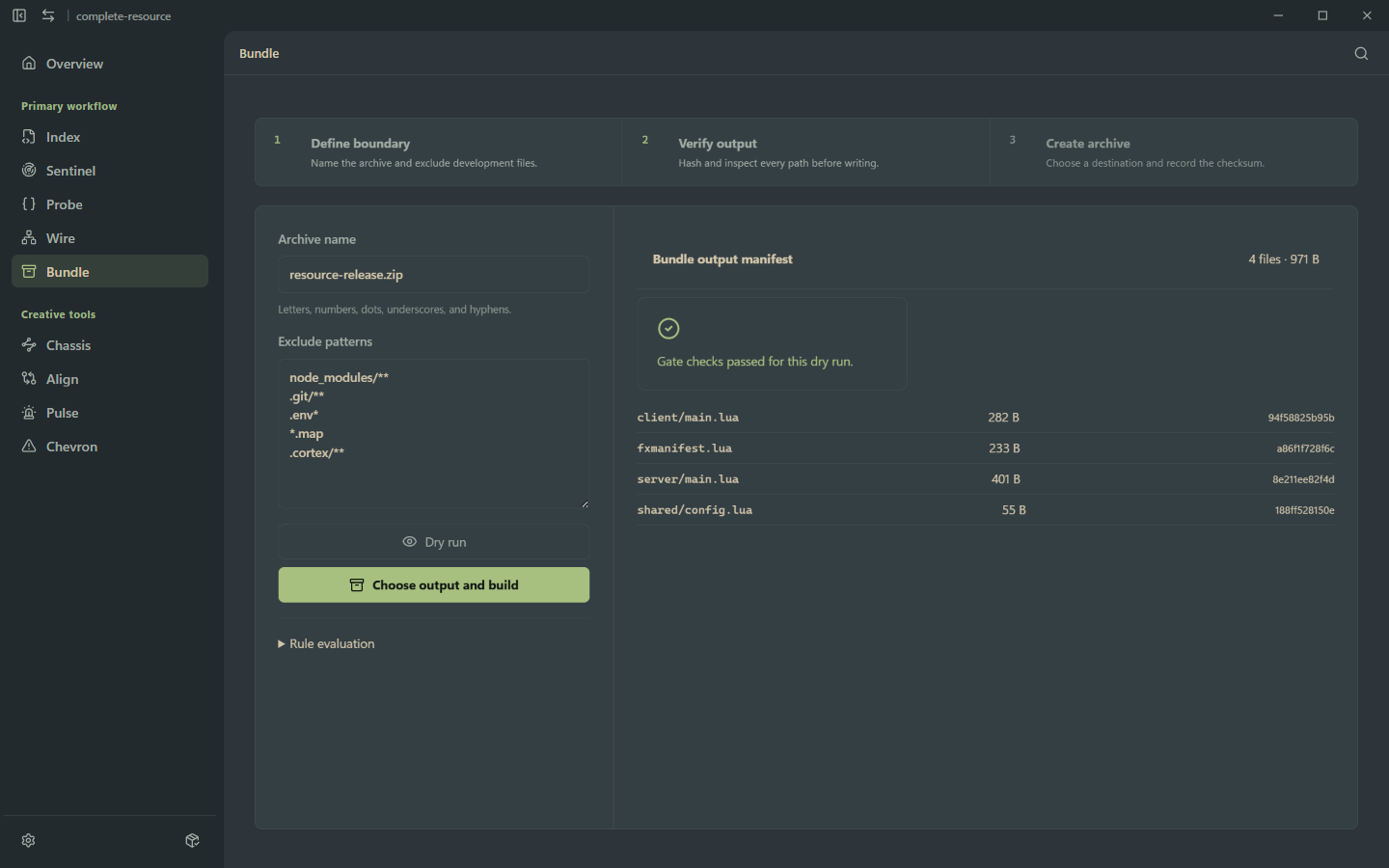
    Cortex Bundle preview showing a verified release archive
    Write a clean archive and record the output.

    Bundle

Free tools for people who make things.

Cortex Toolbox keeps FiveM resource work local, inspectable, and ready to ship.

Cortex ToolBoxWindows desktopGPL-3.0